
An effective office cubicle cleaning routine is defined as a structured, repeatable process of decluttering, dusting, disinfecting high-touch surfaces, and allowing proper drying to maintain workplace hygiene and organization. Facilities managers and office workers who follow a consistent workspace cleaning routine reduce germ transmission, cut down on clutter-related stress, and protect shared equipment from premature wear. The routine requires only a handful of supplies, roughly 10–15 minutes daily, and a clear understanding of when to clean versus when to disinfect. This guide covers every layer of that process, from the right cleaning tools to the mistakes that quietly undermine your results.
What cleaning supplies do you need for a cubicle cleaning routine?
The right supplies make or break any cubicle cleaning checklist. Using the wrong product on the wrong surface wastes time and can damage equipment or leave chemical residue in an enclosed space.
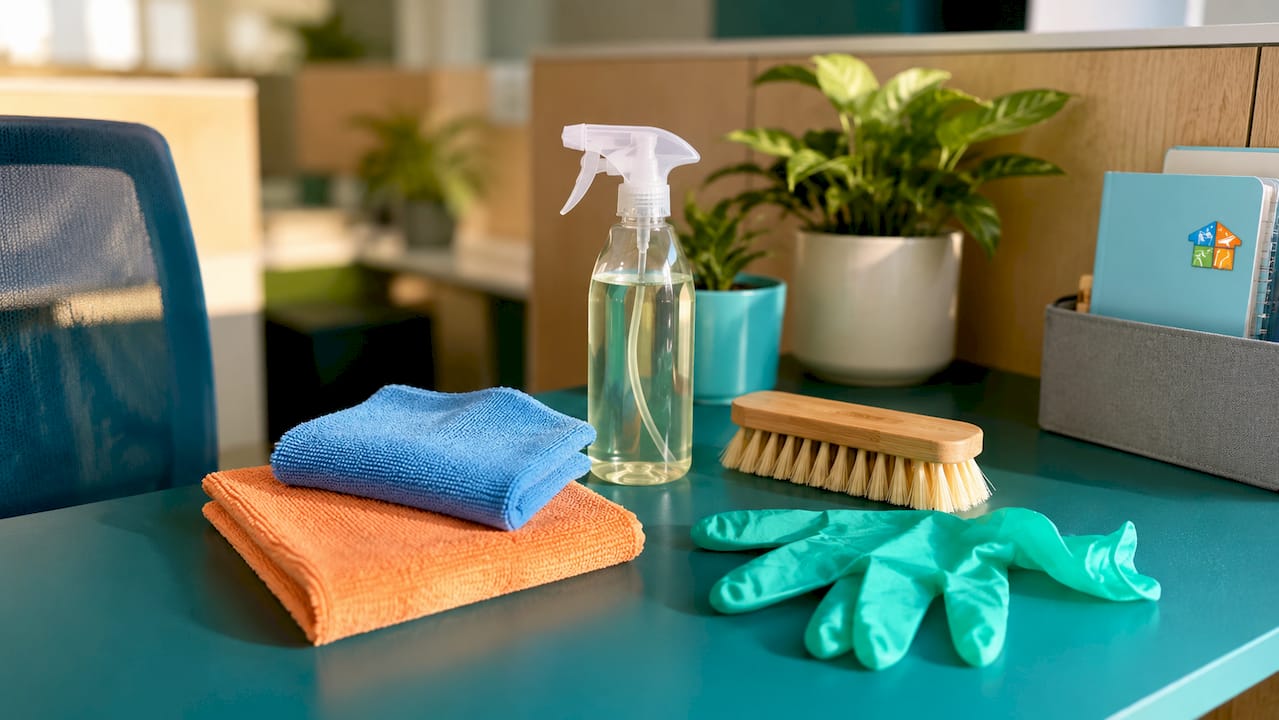
The core kit for daily office maintenance tasks includes microfiber cloths, a soft-bristle brush, disposable gloves, a spray bottle, and a mild detergent for general surface cleaning. For disinfection, EPA-registered products such as Lysol Disinfecting Wipes, Clorox Multi-Surface Cleaner, and Seventh Generation Disinfecting Spray cover most office surfaces. Each product targets different pathogens, so reading the label before use is not optional.
EPA-registered disinfectants require surfaces to remain visibly wet for the full label contact time, generally 3–10 minutes, to achieve effective disinfection. Wiping a surface dry at the 30-second mark is cleaning, not disinfecting. That distinction matters every time you reach for a wipe.
Pro Tip: Buy microfiber cloths in two colors. Use one color for electronics and another for hard surfaces. This prevents cross-contamination without any extra mental effort.
| Product type | Primary purpose | Contact time required |
|---|---|---|
| Disinfectant wipes (e.g., Lysol, Clorox) | Kill pathogens on hard surfaces | 3–4 minutes |
| Disinfectant spray (e.g., Seventh Generation) | Larger surface areas, fabric-safe options | 5–10 minutes |
| Mild detergent solution | Remove dirt, grease, and stains | None (rinse after) |
| Microfiber cloths | Trap dust and debris without scratching | N/A |
| Soft-bristle brush | Dislodge debris from keyboards and vents | N/A |
Never mix cleaning chemicals. Mixing bleach with ammonia produces toxic gases that are dangerous in enclosed office spaces. Store products separately and read every safety data sheet before introducing a new product to your supply kit.
What is the step-by-step daily cubicle cleaning process?
Daily office cubicle cleaning focuses on visible cleanliness and disinfecting high-touch points, reserving deep cleaning for scheduled periodic tasks. Following a fixed sequence prevents you from re-contaminating surfaces you already cleaned.
Step 1: Clear and organize the workspace. Remove papers, food wrappers, and personal items from the desk surface before touching any cleaning product. Clutter traps dust and blocks access to surfaces that need disinfecting. A clear desk also helps you spot stains or spills before they set.
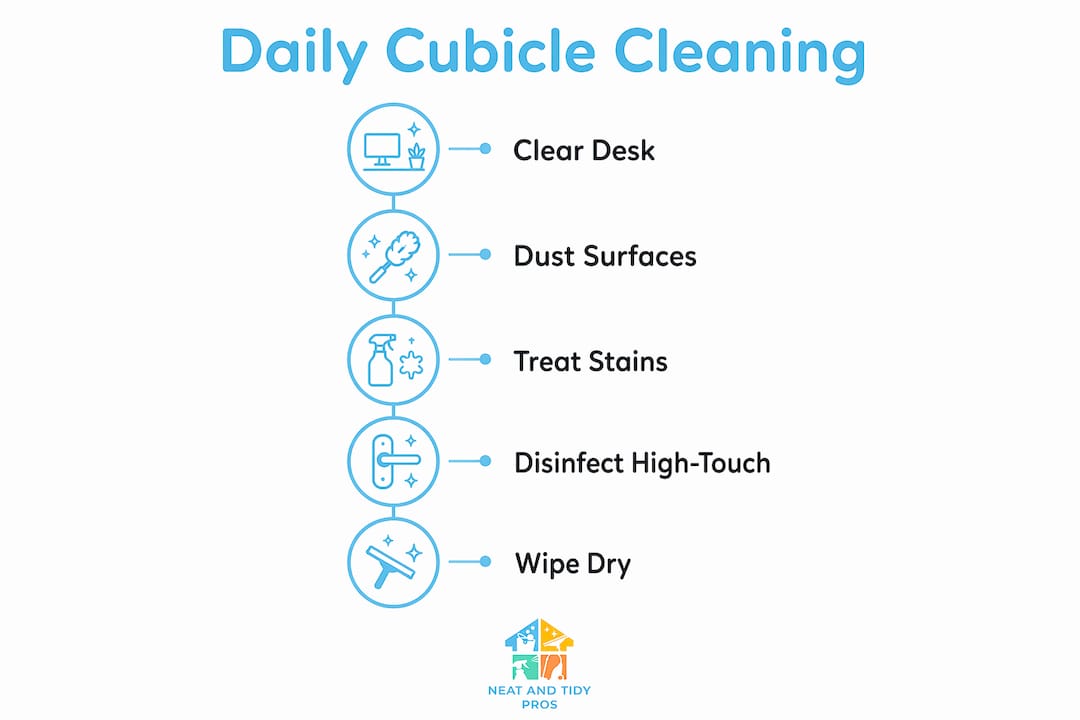
Step 2: Dust all surfaces with a dry microfiber cloth. Work top to bottom: cubicle walls first, then the monitor, desk surface, and finally the chair. Dusting before disinfecting removes the physical debris that would otherwise dilute your disinfectant and reduce its effectiveness.
Step 3: Treat stains promptly. Apply a mild detergent solution to fabric cubicle walls or upholstered chair surfaces using a damp cloth. Blot, do not scrub. On hard surfaces, a small amount of detergent on a microfiber cloth removes most stains without scratching.
Step 4: Disinfect all high-touch points. Keyboard, mouse, desk phone, light switches, and cubicle partition edges are the highest-risk surfaces in any shared office. Apply your chosen EPA-registered disinfectant and allow full contact time of 3–10 minutes before wiping. Quick wipes without full contact time render disinfection ineffective.
Step 5: Wipe down hard surfaces and allow to air dry. After the contact time is complete, wipe surfaces with a clean microfiber cloth and allow them to air dry fully. Damp surfaces attract new dust and can leave streaks on screens or desk surfaces.
Pro Tip: Apply disinfectant to your keyboard, then immediately move to your phone and mouse. By the time you finish those, the keyboard has reached its full contact time. This is the two-pass method, and it saves real time.
The numbered sequence matters. Skipping step 2 before step 4 is the single most common reason disinfection fails in office cubicles.
How to structure weekly and monthly cleaning tasks for cubicle hygiene
Structured cleaning schedules improve cleanliness consistency and office hygiene over time. Daily tasks handle surface-level maintenance, but weekly and monthly tasks address the buildup that daily routines miss.
Weekly cleaning targets areas that accumulate grime more slowly. Chair bases and casters collect hair and dust that a daily wipe-down never reaches. Inner cubicle wall surfaces, especially near the floor, need a damp wipe with a mild detergent solution. Keyboard trays and monitor stands also benefit from a thorough weekly wipe.
Monthly tasks go deeper. High dusting with an extendable microfiber duster removes cobwebs and dust from the tops of cubicle partitions and overhead shelving. Upholstery spot treatments address stains on fabric walls or chair backs that built up over weeks. Detailed floor cleaning under the desk, including vacuuming chair mats and baseboards, rounds out the monthly pass.
Adjusting clean frequency to high-traffic cubicles and shared office equipment helps manage resources and workplace health. A cubicle used by rotating shift workers needs daily disinfection of all surfaces, not just high-touch points. A private cubicle with one consistent occupant can follow a lighter daily schedule.
| Task | Frequency | Description |
|---|---|---|
| Declutter and organize desk | Daily | Remove debris, file papers, clear food items |
| Disinfect high-touch surfaces | Daily | Keyboard, mouse, phone, partition edges |
| Dust all surfaces top to bottom | Daily | Microfiber cloth, work from walls to desk |
| Deep wipe cubicle walls and chair base | Weekly | Damp cloth with mild detergent |
| Clean keyboard tray and monitor stand | Weekly | Wipe with disinfectant, allow contact time |
| High dusting of partition tops | Monthly | Extendable microfiber duster |
| Upholstery spot treatment | Monthly | Fabric-safe cleaner, blot and air dry |
| Detailed floor cleaning under desk | Monthly | Vacuum mat, wipe baseboards |
Coordinate with your facility management team or contracted cleaning crew before adding tasks that overlap with their schedule. Duplication wastes supplies and can actually spread contamination if surfaces are cleaned twice with incompatible products. A shared office cleaning schedule prevents that overlap.
What common mistakes undermine effective cubicle cleaning?
Most cubicle cleaning failures come from one of five predictable errors. Recognizing them is the fastest way to improve your results without buying new products or spending more time.
- Wiping disinfectant too early. Removing a disinfectant wipe before the label contact time ends reduces the process to wet wiping. The surface looks clean but pathogens survive. Set a phone timer if needed.
- Mixing cleaning chemicals. Bleach combined with ammonia-based cleaners produces chloramine gas. In a cubicle with limited airflow, that concentration builds quickly. Always use one product at a time and rinse between applications.
- Ignoring low-visibility high-touch points. Phone buttons, cubicle partition edges, and the underside of desk drawers are touched constantly but rarely cleaned. Add them explicitly to your cubicle cleaning checklist.
- Skipping the air-dry step. Surfaces wiped while still wet from disinfectant can transfer chemical residue to hands and electronics. Full air drying also completes the disinfection process on porous surfaces.
- Using the wrong product on electronics. Bleach-based wipes damage screen coatings and corrode keyboard contacts over time. Use isopropyl alcohol wipes at 70% concentration for electronics, per most manufacturer guidelines.
“The two-pass disinfection method applies disinfectant to multiple points sequentially, then revisits the first points after the dwell time. This approach prevents premature wiping and accounts for office airflow and real-world interruptions.” — Office disinfection: contact time mistakes to avoid
The two-pass method is the single most practical upgrade any office worker or facilities manager can make to their current routine. It costs nothing and requires no new supplies.
What are the safest and most effective cleaning products for office cubicles?
Product selection for an office cubicle differs from home cleaning because enclosed spaces amplify odors and chemical exposure. Low-odor, low-VOC (volatile organic compound) products protect air quality for everyone in the office, not just the person cleaning.
EPA-registered quats, hydrogen peroxide, and diluted bleach are the three most common disinfectant categories in office settings. Quaternary ammonium compounds (quats), found in products like Lysol and many commercial wipes, handle most general office pathogens with low odor. Hydrogen peroxide-based products like Oxivir are effective and break down into water and oxygen, leaving minimal residue. Bleach is required for norovirus and Clostridioides difficile spores, but its strong odor makes it a poor choice for daily cubicle use in shared spaces.
- Use quats for routine daily disinfection of desks, phones, and keyboards.
- Use hydrogen peroxide-based products when a low-residue option is needed for shared equipment.
- Reserve bleach for confirmed illness situations or food prep areas, not routine maintenance.
- Check the safe product guidance for any product new to your supply kit.
- Store all products in a locked cabinet away from direct sunlight and away from incompatible chemicals.
The CDC recommends emphasizing cleaning over disinfection in routine settings without active illness. Routine over-disinfection increases chemical exposure without a corresponding health benefit. Clean daily, disinfect when it counts.
Key Takeaways
A consistent office cubicle cleaning routine requires the right products, correct contact times, and a structured daily-to-monthly schedule to deliver real hygiene results.
| Point | Details |
|---|---|
| Contact time is non-negotiable | Disinfectants need 3–10 minutes of wet contact time to kill pathogens effectively. |
| Use the two-pass method | Apply disinfectant to multiple surfaces in sequence, then return to wipe after dwell time. |
| Structure tasks by frequency | Separate daily, weekly, and monthly tasks to prevent buildup without wasting effort. |
| Never mix chemicals | Bleach and ammonia produce toxic gas in enclosed spaces; use one product at a time. |
| Match product to surface | Use quats for general surfaces, 70% isopropyl alcohol for electronics, and bleach only for illness situations. |
What I’ve learned from cleaning offices that most guides get wrong
The advice I see repeated most often is “wipe down your desk every day.” That is fine as far as it goes. The part nobody mentions is that most people are wiping surfaces dry in under 30 seconds, which means they are cleaning, not disinfecting. The distinction sounds technical, but the practical result is that high-touch surfaces in offices carry far more pathogen load than workers realize, even in spaces that look spotless.
The other thing I have seen consistently at Neatandtidypros is that facilities managers underestimate how much the cubicle partition itself contributes to contamination. People lean on those walls, rest their arms on the edges, and brush against them dozens of times a day. Those edges almost never appear on a standard cleaning checklist. Adding them takes 90 seconds and makes a measurable difference.
My honest recommendation is to stop thinking about cleaning as a chore you complete and start treating it as a system you maintain. A 10-minute daily routine done correctly beats a 45-minute weekly blitz every time. Consistency is the variable that actually controls hygiene outcomes in office environments.
— Neat
Professional office cleaning from Neatandtidypros
Even the best personal routine has limits. Quarterly deep cleaning of cubicle upholstery, partition fabric, and hard-to-reach surfaces requires professional equipment and products that most office workers do not have on hand.
Neatandtidypros provides commercial cleaning services designed specifically for office environments, including cubicle deep cleaning, high dusting, and disinfection programs tailored to your office’s traffic patterns and schedule. Whether you need a one-time deep clean or a recurring maintenance plan, the team works around your office hours to minimize disruption. Contact Neatandtidypros to build a cleaning plan that covers what your daily routine cannot.
FAQ
How often should you disinfect a shared office cubicle?
Shared cubicles used by multiple workers should have high-touch surfaces disinfected at the start and end of each shift. Private cubicles with one consistent occupant require daily disinfection of the keyboard, mouse, and phone at minimum.
What is the correct contact time for disinfectant wipes in an office?
Most EPA-registered disinfectant wipes require surfaces to remain visibly wet for 3–4 minutes to achieve effective pathogen kill rates. Wiping the surface dry before that time reduces the process to simple cleaning.
Can you use bleach wipes on office cubicle surfaces?
Bleach wipes are effective but should be reserved for confirmed illness situations rather than routine daily maintenance. For everyday use, quaternary ammonium wipes like Lysol or Clorox are lower odor and safer for enclosed office spaces.
What is the two-pass disinfection method?
The two-pass method means applying disinfectant to several surfaces in sequence, then returning to the first surface to wipe after the full dwell time has elapsed. This approach prevents premature wiping and ensures every surface receives proper contact time.
How do you clean a keyboard without damaging it?
Use 70% isopropyl alcohol wipes rather than bleach-based products, which corrode keyboard contacts and damage coatings over time. Turn the keyboard upside down and tap gently to dislodge debris before wiping, and allow it to air dry fully before use.